You found a great deal. You copy the code. You paste it at checkout. And then nothing. Invalid coupon. Or worse, This offer has expired. Sound familiar? You are not alone. Studies show that 40 to 60% of coupon codes listed on random websites are already dead by the time you try them. That is a lot of wasted clicks, wasted time, and a lot of disappointment right at the finish line.
But here is the thing. See the problem is not the process of using a coupon code. Its process is actually simple. But the real problem is where people find their codes in the first place. Most shoppers Google store name promo code, click the first result, and end up on some old blog post with codes from two years ago.
So this guide fixes both things. Plus, it shows where to find working codes and explains how to use them step by step. We will use CouponsBeast as the starting point because it is one of the more reliable updated platforms for verified codes right now. So let's get into it.
1 What Is a Coupon Code, Really?
 Okay, a coupon code is a short mix of letters and numbers. See something like SAVE20 or BEAST15. You type it into a small box at checkout, hit apply, and your price drops. That is the whole thing. Some codes give you a percentage off, like 15% or 25%. Others take a flat dollar amount off, like $10 off your total.
Some remove the shipping fee completely. So the discount type depends on whatever deal the store is currently running. Now, the code itself is not complicated.
What gets complicated is finding one that has not already expired. So before the steps, let's talk about where to look.
2 Sites That Host Verified Coupon Codes
 Not all coupon websites are equal. Right? Some are genuinely helpful. Others post dead codes on purpose just to get traffic.
3 Step-by-Step: How to Use a Coupon Code Online
 If you are using coupon codes it looks tricky at first. Most people waste time on expired deals. But here is a simple step-by-step way to find working codes and use them at checkout.
Go to CouponsBeast and Search for Your Store
Open your browser and go to couponsbeast.com. At the top of the page, you will see a search bar. Type the name of the store you plan to shop at. For example, "Nike" or "ASOS" or "Walmart. Next, you land on the store page. It shows current deals and coupon codes. Plus, you see details like discount type, spending rules, and last verified date. Recent codes usually work better. So always check the date first.
Pick a Code and Click Get Code
Find the deal that works best for what you are buying. Then click the button that says "Get Code" or "Show Code. Click "Copy. So, this copies the code directly to your clipboard. Do not type it manually. Typing it yourself opens the door to typos, and even one wrong character means the code fails.
Now, here is something worth knowing: after you click "Get Code, CouponsBeast will usually open the store's website in a new tab automatically. That is by design. You are now ready to shop.
Shop and Add Items to Your Cart
Switch over to the store tab that just opened. Browse normally. Add whatever you want to your cart.
But before you get too far, take 30 seconds to re-read the code's terms back on CouponsBeast. This is where most people skip a step and then wonder why the code did not work later. Common things to check:
Minimum spend
Some codes only activate when your order is above $30, $50, or even $100. If your cart does not hit that number, the code will not apply.
Excluded items
Many codes do not work on sale or clearance items. So if everything in your cart is already discounted, the promo code might not stack on top of that.
New customers only
Some codes are only for people who have never ordered from that store before. If you have an account and previous orders, this type of code will reject you.
Specific categories
For instance, a code for "footwear" will not apply if you are buying a jacket.
Let’s say you are shopping on Nike. You add a pair of shoes and a hoodie to your cart. Your total comes to $60. Now you go to CouponsBeast and find a 15% off coupon code for Nike. You copy it and paste it at checkout. Right away, your total drops to $51. You just saved money in less than a minute without any extra effort.
Go to Checkout
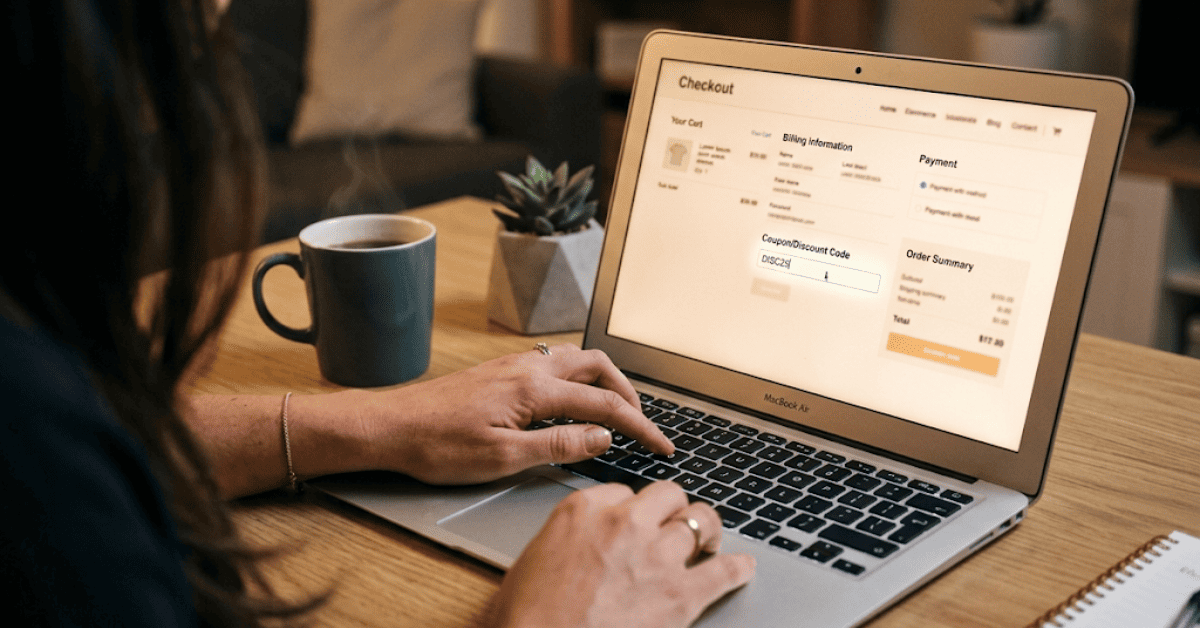
Once your cart is ready, click the cart icon in the top right corner of the store's website. Then click "Proceed to Checkout" or "View Cart. Now look for the promo code field. Depending on the store, it might be labeled:
"Promo Code"
"Coupon Code"
"Discount Code"
"Offer Code"
"Enter Gift Card or Promo Code"
Every store word it differently but the box is almost always there. On the desktop, it usually appears on the right side of the page inside the order summary box. On mobile, you may need to scroll down or tap on "Order Summary" to expand the section and reveal the field.
Paste Your Code and Hit Apply
On a computer, press Ctrl + V on Windows or Cmd + V on Mac. If you are on phone, tap and hold inside the box, then tap Paste. Before you apply it, take a quick look. No extra spaces should be there. Every letter and number should match exactly.
Because one small mistake can break it. And keep an eye on capital letters too, because many codes only work when the case is correct. Now click Apply or Redeem.
Code Not Working? Do This
Do not give up just yet. A failed code does not always mean there are no savings available. You work through this checklist: Check the expiration date. Go back to CouponsBeast and look at the specific code you tried. If it expired recently, skip to the next code on the list.
You should also check your cart total. Is it above the minimum spend? If the code requires $50 and your cart has $43, add one more item. Are your items excluded? Remove sale items and see if the code applies to the remaining full-price products.
Is it a new-customer code? If you already have an account with this store, that type of code simply will not work for you. Is there a typo? Go back, delete the code from the box, and paste it fresh again. Then try another code. CouponsBeast usually lists more than one code per store. So you have to try the next one.
Some coupon codes work only one time. After one person uses it, the code stops working. It often happens with codes shared on social media or random forums.
Complete Your Purchase
Once your discount is showing and the total looks right, finish checkout as normal. Enter your shipping address, choose a payment method, and place the order. Done. You saved money the smart way.
4 Why Do So Many Codes Expire?
 It is worth understanding this so you stop blaming yourself when a code fails. Retailers put expiration dates on codes for real business reasons. Most promo codes are tied to a specific campaign, a weekend flash sale, a new product launch, or a holiday event. If the campaign ends, the code turns off automatically in the store's system. Other codes have a usage limit.
It does not eliminate expired codes completely. No site can do that but it cuts the failure rate down significantly.
5 Some Extra Tips You Should Know
Sign up for store newsletters. Retailers send exclusive promo codes to email subscribers. But these codes usually have longer lifespans and fewer restrictions than codes you find on coupon sites.
Try more than one code. Go back to CouponsBeast, pick the next code on the list, and test it.
Combine codes with cashback. Platforms like Rakuten give you a percentage back after you buy. Use a promo code to lower your price, then earn cashback on top of that. Both work at the same time in most stores.
Bookmark your main coupon site so you can reach it quickly. No need to search on Google every time. Open CouponsBeast when you need codes. It also keeps you away from random sites full of expired deals.
Conclusion
Coupon codes are genuinely simple to use. But the only hard part has always been finding ones that have not already expired. So most stores have more than one deal running at any time. So the next time you are about to pay full price online pause. Open CouponsBeast. Spend 60 seconds. Then there is a real chance you can knock 10, 15, or 20% off before you even enter your card number.
In fact, shoppers who use coupons regularly save an average of $1,465 per year. That is not a small amount.
FAQs
1. What is a coupon code?
It is a short code you enter at checkout. It gives you a discount. It can reduce prices, offer free shipping, or give fixed savings.
2. Why do coupon codes fail?
Most codes are expired. Some have conditions. Some need a minimum cart value. That is why they do not work sometimes.
3. Where should I find working codes?
Use trusted sites like CouponsBeast. Codes there are checked more often. So chances of working codes are higher.
4. Can I try more than one code?
Yes, you can. If one fails, remove it. Then try another one from the list. Simple trial and error works.
5. Do coupon codes expire fast?
Yes, they do. Many are tied to short sales or limited use. Once the offer ends, the code stops working.

Snober Kanwal
Tech Reviewer, Content SpecialistI specialize in tech journalism and product reviews at CouponsBeast. By breaking down digital trends, gadgets, and software into easy-to-digest guides, I create SEO-optimized content that ranks on search engines, builds consumer trust, and drives high-intent affiliate traffic for global audiences.
Comments 0
No comments yet. Be the first to share your thoughts!